
Amazon Seller Taxes: A Practical Guide
Confused about Amazon seller taxes? You’re not alone.
Whether you’re making your first few sales or scaling toward six figures, tax season catches many sellers off guard. From income taxes to deductions and tracking tools, this guide walks you through exactly what to do—with no fluff.
What You’ll Learn
In this guide, you’ll find clear answers to common tax questions Amazon sellers face—especially if this is your first time filing. You’ll learn what taxes you’re responsible for, what expenses you can deduct, which tools simplify tracking, and when to bring in professional help.
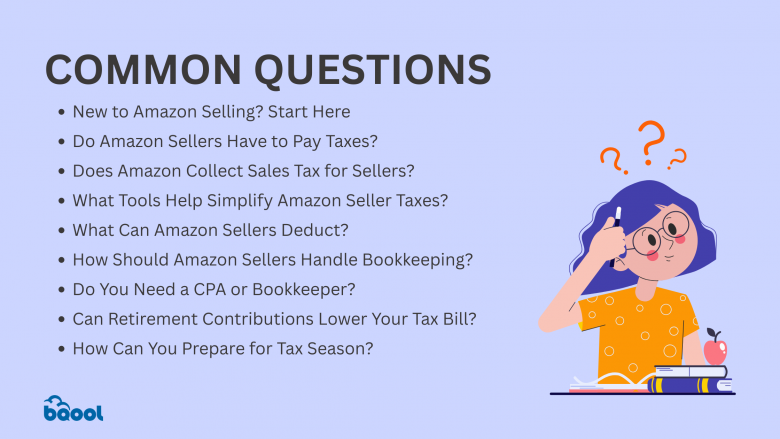
Overview
- New to Amazon Selling? Start Here
- Do Amazon Sellers Have to Pay Taxes?
- Does Amazon Collect Sales Tax for Sellers?
- What Tools Help Simplify Amazon Seller Taxes?
- What Can Amazon Sellers Deduct?
- How Should Amazon Sellers Handle Bookkeeping?
- Do You Need a CPA or Bookkeeper?
- Can Retirement Contributions Lower Your Tax Bill?
- How Can You Prepare for Tax Season?
- FAQs
- Conclusion
New to Amazon Selling? Start Here
Separate your business and personal finances.
If not, you may one day try to find the receipt for your recent purchase of packing tape, only to realize days later that you bought it on your most recent grocery run from Costco. Yeah, not ideal.
Use a dedicated bank account and credit card for all business-related income and expenses. This can help you keep a clear outlook on your business health too.
Register your business.
You can start as a sole proprietor and later switch to an LLC. Although, you dont need an LLC (Limited Liability Company) to sell on Amazon, you can start selling immediately under your name just as a sole proprietor, which is the simplest way to sell products.
The only difference between the two is that you would have more protection with an LLC, which legally separates the business from its owners.If you start a single-person LLC, you will get the same taxes as a sole-proprietor but with more protection (JungleScout, 2024)
Make sure you’re properly registered with your state based on your structure. Although you don’t need a business license when opening an Amazon seller account, it might be required by your local government. If you are a wholesale seller, you would need a business license and a sales tax permit.
If you are a private label or retail arbitrage seller, a business license is not necessary.
Start tracking everything.
From the moment you start selling, log all income, fees, purchases, and software subscriptions, even if it’s a side hustle.
You can either start with tracking on your own using spreadsheets if you’re an excel whiz, or Amazon’s built-in tools like Reports to access your sales data and expenses whenever needed.
The key expenses to track on Amazon include referral fees, shipping and fulfillment expenses, advertising costs, and other ongoing costs. To master the art of control over your profits, you must be diligent in tracking your expenses.
Leverage technology to make expense management a breeze. Check out the best Amazon accounting software for sellers. Accurately calculating your costs would allow you to effectively adjust your pricing strategy.
It goes without saying, that Future You would thank You when you plan ahead and invest in tracking.
Pick a system for your books.
QuickBooks is great for general accounting, their plans start at $307.64/month to track yoour income and expenses.Alternatively, Inventory Lab is also a good option tailored for FBA sellers starting at $69/month.
Get a CPA early.
Don’t wait until tax season, partnering with an Amazon Accountant or a CPA ahead of time prevents costly errors and ensures you stay compliant from day one. Check out this article if you’re wondering whether you should hire an Amazon Accountant.
Do Amazon Sellers Have to Pay Taxes?
Yes. Amazon sellers are required to file income taxes, even if Amazon handles sales tax in your state.
You’re responsible for reporting business income, self-employment tax, and any deductible expenses. This applies whether you’re full-time or just testing the waters.
Does Amazon Collect Sales Tax for Sellers?
Yes, in most states and only for sales tax.
However, there are five states with no statewide sales tax, so Amazon does not collect on behalf of sellers in:
- Alaska
- Delaware
- Montana
- New Hampshire
- Oregon
Note: In states like Alaska, local jurisdictions may still impose their own sales taxes. If you operate or store inventory in a locality with local tax, you may still have obligations.
Amazon collects and remits sales tax under Marketplace Facilitator Laws. However, you are still responsible for filing your own income taxes.
You can confirm which states Amazon collects for by going to your Seller Central → Reports → Tax Document Library.
| Tax Type | Who Handles It | Your Role |
| Sales Tax | Amazon | Confirm states, keep records |
| Income Tax | You | File federal/state returns annually |
Real Seller Tip: “I use a prep center to avoid paying sales tax and never file tax exemption paperwork.”
For more clarity, check out Amazon Marketplace Tax Collection Policy here.
What Tools Help Simplify Amazon Seller Taxes?
- QuickBooks. Tracks income and expenses, syncs with your bank, and creates reports for filing.
- Inventory Lab. Helps Amazon sellers track cost of goods sold (COGS) and generate a clean profit and loss statement.
- GoToLister. Lets you export your Amazon sales, fees, and inventory cost data—so your CPA can file taxes quickly and accurately.
Real Seller Tip: “GoToLister’s net profit reporting is rolling out soon to simplify your full tax view.”
Looking for the ultimate Amazon pricing tool? Our AI-powered repricer integrates seamlessly with your workflow—track profits, automate pricing, and win the Buy Box effortlessly.
What Can Amazon Sellers Deduct?
Here are some of the most common deductions you can claim:
Inventory and product costs
This includes the wholesale price, cost of manufacturing, or any other direct cost related to your products (also known as Cost of Goods Sold).
Shipping and fulfillment fees
Expenses like postage, prep materials, shipping supplies, and fulfillment center fees all count.
Home office expenses
If you have a dedicated workspace, you may be able to deduct part of your rent, utilities, internet, furniture, or business-use electronics.
Amazon seller fees
Referral fees, FBA fees, storage fees, and any platform-related charges are deductible business expenses.
Vehicle use and mileage
If you drive for inventory sourcing, supply runs, or business meetings, mileage and vehicle expenses may be deductible (track your trips).
Charitable donations
Donating unsellable or damaged inventory to charity? You might be able to claim a deduction for those contributions.
Subscriptions and memberships
Deductions may include paid e-commerce tools, business platforms, and seller support services.
Business education
Courses, e-books, webinars, and training materials related to Amazon selling or e-commerce can be written off.
Business software
This includes tax, inventory, and analytics tools—such as GoToLister, repricing software, and other operational tools.
Marketing and advertising
You can deduct expenses for online ads, social media promotions, branded packaging, business cards, or promotional flyers.
Employee compensation
Wages, salaries, and benefits paid to employees are fully deductible.
Professional services
Payments to accountants, consultants, legal advisors, designers, or copywriters hired to support your business qualify as deductions.
Remember to keep receipts and documentation for each of these expenses. Digital records (like email confirmations and statements) are fine, but they must be organized and traceable in case you’re audited.
Real Seller Tip: “Your phone can be an expense. Your car can be an expense. Just make sure your CPA understands how to apply that.”
How Should Amazon Sellers Handle Bookkeeping?
Track consistently
Update your records weekly or bi-weekly. Waiting until tax season creates panic and confusion.
Reconcile regularly
Match your income/expenses in your spreadsheet or software to your bank and Amazon payout reports. This ensures no transactions are missed.
Store documentation
Save digital or physical copies of receipts and reports. Keep a record of each product’s cost and corresponding sale for accurate deductions.
Beginner tip
If you’re under $10K in monthly sales, a spreadsheet is okay. But once you scale, automated tools will save hours of time and reduce costly errors.
Real Seller Tip: “If your books are clean, taxes are a breeze.”
Too much time spent managing pricing manually? Let our smart repricer handle it for you—so you can focus on growing your business, not spreadsheets.
Do You Need a CPA or Bookkeeper?
If you’re feeling overwhelmed or unsure if you’re doing it right, it’s time to consider one.
Bookkeepers help track and categorize your finances.
CPAs help you file taxes, find deductions, and avoid mistakes.
It’s best to look for professionals with e-commerce or Amazon-specific experience, since fees, returns, and inventory reporting differ from traditional businesses.
Real Seller Tip: “I paid $700 to offload tax stress and focus on sourcing—money well spent.”
Can Retirement Contributions Lower Your Tax Bill?
Yes. Contributing to a retirement account like a SEP IRA, Solo 401(k), or traditional IRA can significantly reduce your taxable income.
You can open these accounts with providers like Fidelity, Vanguard, or Charles Schwab. A CPA can help calculate your ideal contribution based on income and tax bracket.
Real Seller Tip: “I invested in retirement accounts, and it lowered how much I owed in taxes.”
How Can You Prepare for Tax Season?
Start early
Begin organizing your records in Q1, don’t wait until January of the following year.
Keep reports updated
Maintain monthly profit and loss statements and keep your inventory log current.
Meet your CPA in Q4
This gives you time to adjust contributions, clean your books, or plan for deductions.
Real Seller Tip: “I file an extension—but only because my books are clean and ready.”
FAQs
Do Amazon sellers need to pay quarterly taxes?
Yes. If you expect to owe more than $1,000 in federal income taxes, you’re required to make estimated quarterly payments throughout the year.
What is a 1099-K and when do I get one from Amazon?
The 1099-K form reports income you’ve earned through third-party platforms like Amazon. Prior to 2022, you’d receive one if you made over $20,000 in sales and 200 transactions. Now, the threshold is much lower—if you receive over $600 in gross payments, Amazon will issue a 1099-K, regardless of how many transactions you have.
If you notice any inaccuracies on your 1099-K, contact Amazon to request corrections before filing your return.
How do I file taxes as an Amazon seller?
Most Amazon sellers need to file a Schedule C (Profit or Loss from Business) along with their Form 1040. This applies even if Amazon is just a side hustle. Schedule C allows you to report income and claim deductions like office expenses, supplies, software, education, and professional services.
Can I deduct health premiums and retirement contributions?
Yes. If you’re self-employed, health insurance premiums and contributions to qualified retirement accounts (like a SEP IRA or Solo 401(k)) may be deductible. These deductions can significantly reduce your taxable income.
Does Amazon handle sales tax for me?
Amazon collects and remits sales tax in most states due to Marketplace Facilitator laws. However, it’s your responsibility to ensure that the settings in Seller Central are correctly configured. FBA sellers may also have sales tax nexus in any state where Amazon stores their inventory, which could require additional filings depending on the state’s rules.
What is a sales tax nexus and why does it matter?
Sales tax nexus means having a business presence or economic connection in a state. For Amazon sellers, this can happen when your inventory is stored in an Amazon fulfillment center in that state. If you have nexus in a state, you may be required to register, collect, and remit sales tax there—even if Amazon already does some of it on your behalf.
What if I didn’t track my expenses this year?
Don’t worry—many sellers go back and rebuild their records using Amazon reports, bank statements, and credit card logs. The IRS allows a three-year lookback period, and accurate reconstruction is far better than skipping deductions entirely. Consider hiring a bookkeeper if you need help organizing retroactive data.
Can I deduct my home office if I sell part-time?
Yes, as long as the space is used regularly and exclusively for your Amazon business. Even small, dedicated workspaces may qualify under the simplified or actual expense method.
What’s the best bookkeeping software for Amazon sellers?
QuickBooks is a great general-purpose solution. For Amazon FBA sellers, Inventory Lab is highly recommended because it integrates directly with Amazon, tracks cost of goods sold (COGS), and generates real-time profit reports. Some sellers also use GoToLister for exporting Amazon data for tax prep.
Conclusion
Filing taxes as an Amazon seller doesn’t have to be stressful or confusing. With consistent bookkeeping, the right tools in place, and guidance from a qualified tax professional, you can stay compliant, uncover valuable deductions, and protect your profits.
Start early, stay organized, and don’t be afraid to ask for help. Your business (and your future self) will thank you.
Get real seller tips on Amazon Taxes
Our real seller tips can be found here in our most recent video:
 Limited-Time Offer: Get 50% off your first month of the AI Deluxe Plan, just $25 (same price as Basic)
The post Amazon Seller Taxes: A Practical Guide appeared first on BQool Blog.

